Natural Handwriting Digitization

Write naturally with a ballpoint pen, digitize effortlessly
AI-powered real-time analysis for smarter classrooms

Software Downloads

Available on all platforms, use Writech products anytime, anywhere

πŸ“±
iOS App
View learning insights anytime
iPhone / iPad
πŸ“±
Android App
View learning insights anytime
Android
πŸ“±
HarmonyOS App
View learning insights anytime
HarmonyOS
πŸ’»
PC Teacher App
Lesson planning & classroom management
Windows
πŸ–₯️
Smart Blackboard
Interactive classroom display app
Windows
πŸ“Ί
TV App
Home learning scenarios
Android
πŸ“‹
Pad iOS
Portable classroom terminal
iPad
πŸ“‹
Pad Android
Portable classroom terminal
Android

About Us

Empowering education through natural handwriting technology

Founding Team

Company Profile

Shenzhen Writech Technology Co., Ltd.

Founded in August 2025 by Dr. Jiahong Xu, Writech independently develops natural handwriting digitization solutions consisting of smart pens, IoT gateways, classroom interaction apps, mobile apps, and cloud services. Students in classrooms and at home use ordinary ballpoint pens for natural, digitized handwriting with real-time classroom interaction.

Cloud-powered apps on smart blackboards enable efficient teacher-student interaction, greatly improving classroom efficiency. Committed to the Ministry of Education's digital intelligence education vision and the responsibility of protecting youth eyesight, Writech places the natural handwriting ballpoint pen as the most effective smart terminal for students.
13
Software Copyrights
3
Invention Patents
9
Utility Model Patents

Products

From smart pens to cloud AI β€” a complete digital writing ecosystem

Brand Naming Rules

All hardware products use a unified four-letter English identifier. The last three letters are fixed as ink (symbolizing "writing, ink", reflecting the core DNA of smart dot-matrix pen education systems), with the first letter assigned based on product characteristics.

Hardware Product List

# Product Name English ID Image Naming Etymology Word Type
1 Blackboard Gateway Wink / Bink Blackboard Gateway W = Wall, wall-mounted gateway; B = Blackboard, dedicated gateway with UWB receiver Wink (English word), Bink (invented)
2 Classroom Gateway Cink / Nink Classroom Gateway C = Classroom; N = Network Cink (invented)
3 Master Pen Mink Master Pen M = Master, premium smart pen for teachers English word (mink), strong brand identity
4 Student Pen Tink Student Pen T = Trainee, smart pen for students Invented, similar to Think
5 Pointer Module Qink Pointer Module Q = Quick, UWB transmitter module for smart pen Invented
6 Smart Controller Link / Rink Smart Controller L = Link, remote smart controller; R = Remote Link/Rink (English words)
7 Handwriting Tablet Hink / Xink Handwriting Tablet H = Handwriting; X = eXpression Hink / Xink (invented)
8 AI Computing Box Dink / Zink AI Computing Box D = Data, edge computing box; Z = Zone, regional AI hub Dink (English word); Zink (invented)

Logo Design Requirements

  • Typography: All caps WINK / CINK / … for formal scenarios; title case Wink / Cink / … for document text
  • Color: Each product may have its own brand color, but maintain visual consistency of the 'ink' part
  • Application: Product shell silk-screening, packaging, software UI, official website product pages

Product Features

01 / Blackboard Gateway

Wink / Bink

Blackboard Wireless Gateway
A wireless communication hub embedded in smart blackboards, aggregating handwriting data and UWB positioning β€” USB plug-and-play, connects up to 64 smart pens in real time.
Product PositioningWall-mounted gateway installed behind or beside the smart blackboard (86" interactive all-in-one). It serves as the classroom's front-end data aggregation and forwarding hub, powered via USB from the blackboard. Its two core roles: aggregating all smart pen writing data via BLE 5.0 / SLE 1.0 and pushing to the large screen; and acting as a UWB receiver for real-time spatial pointing signals from the teacher's pen (Mink + Qink).
Key Features
  • High-capacity pen connection: connects up to 64 smart pens simultaneously via BLE 5.0 / SLE 1.0
  • Real-time large-screen display: pushes handwriting data via WebSocket to the blackboard display app with <50ms latency
  • UWB precision reception: receives spatial pointing signals from Mink teacher pen's Qink module with centimeter-level accuracy
  • Interactive classroom commands: question distribution, test collection, group quizzes and more
  • Auto-discovery: mDNS-based automatic discovery and binding with edge AI boxes and cloud platform
  • IoT device control: smart lights, switches, curtains, air conditioning and other IoT devices
Technical Specifications
Bink product
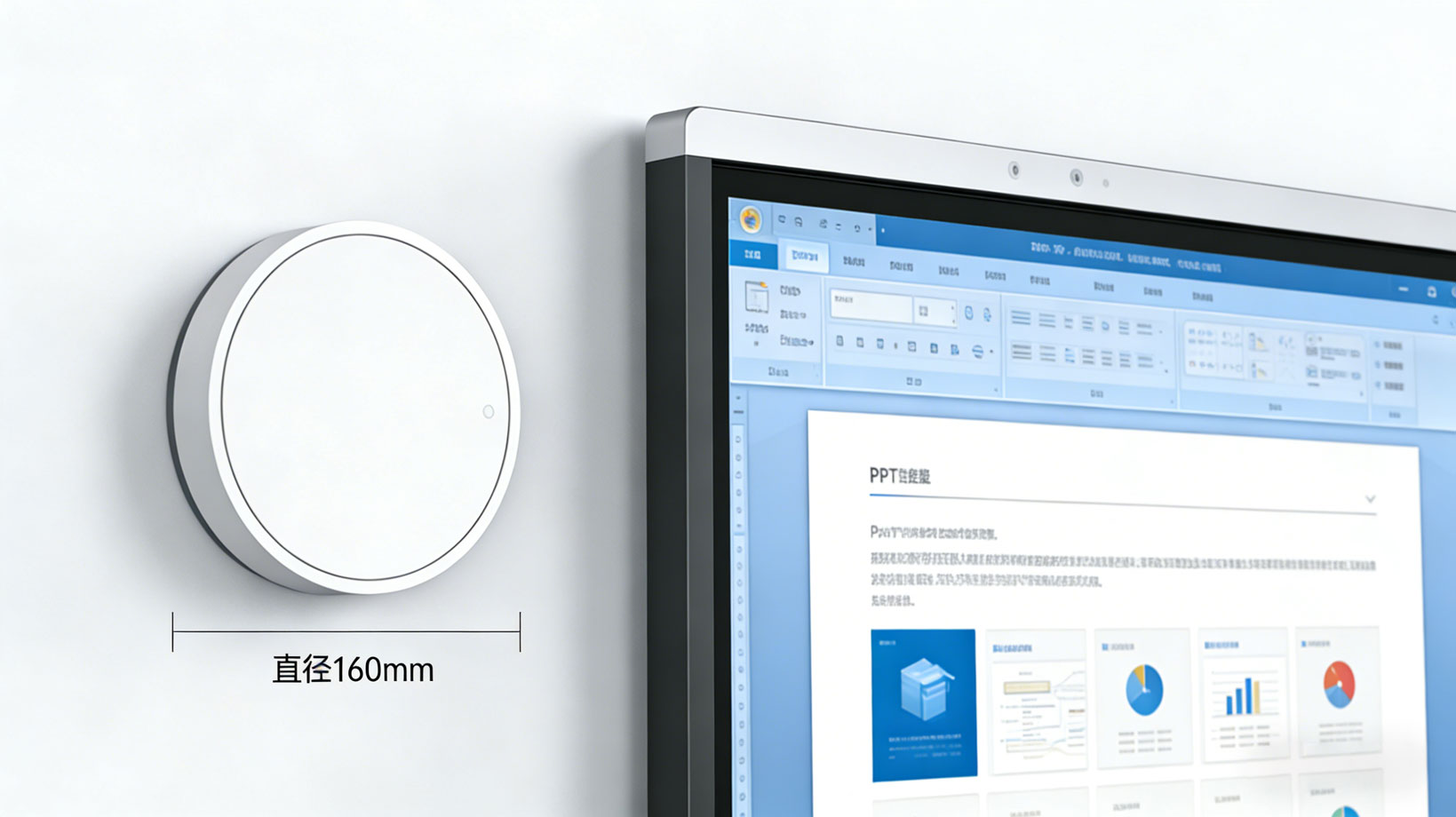
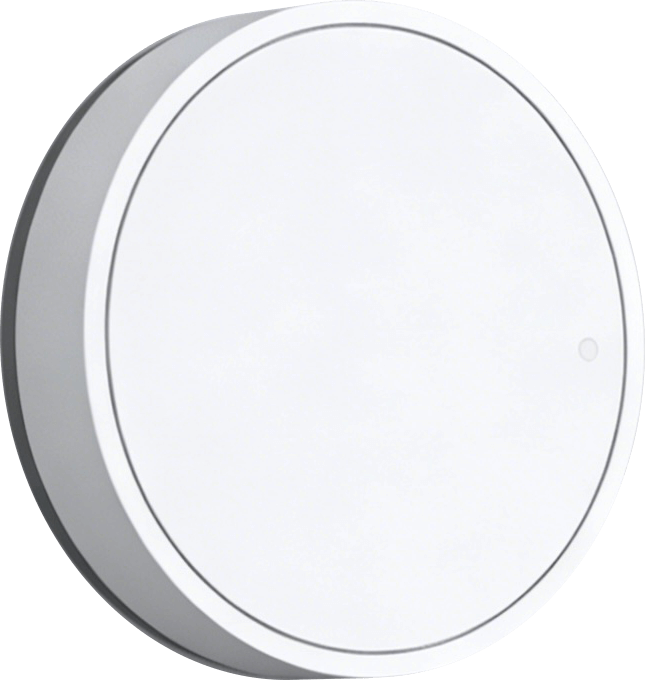
Bink Blackboard Gateway β€” 160mm diameter, wall-mounted
ParameterSpecification
Wireless (handwriting)BLE 5.0 / SLE 1.0 multi-connection
Max pen connections64 pens
UWB receptionBuilt-in UWB module, centimeter accuracy
PowerUSB (from blackboard mainboard)
UplinkWiFi to internet
Dimensions160mm diameter circular
MountingWall-mounted behind or beside blackboard

Application Scenarios

Bink installation
Bink wall-mounted gateway β€” white casing blends into classroom
Classroom scene
Smart board with Bink gateway β€” real-time teacher handwriting display
Interactive class
Interactive classroom β€” all students writing with smart pens, Bink aggregating data in real time
02 / Classroom Gateway

Cink / Nink

Classroom Wireless Gateway
An invisible gateway embedded in a wall switch position, powered from the wall with no extra wiring, connects up to 20 smart pens.
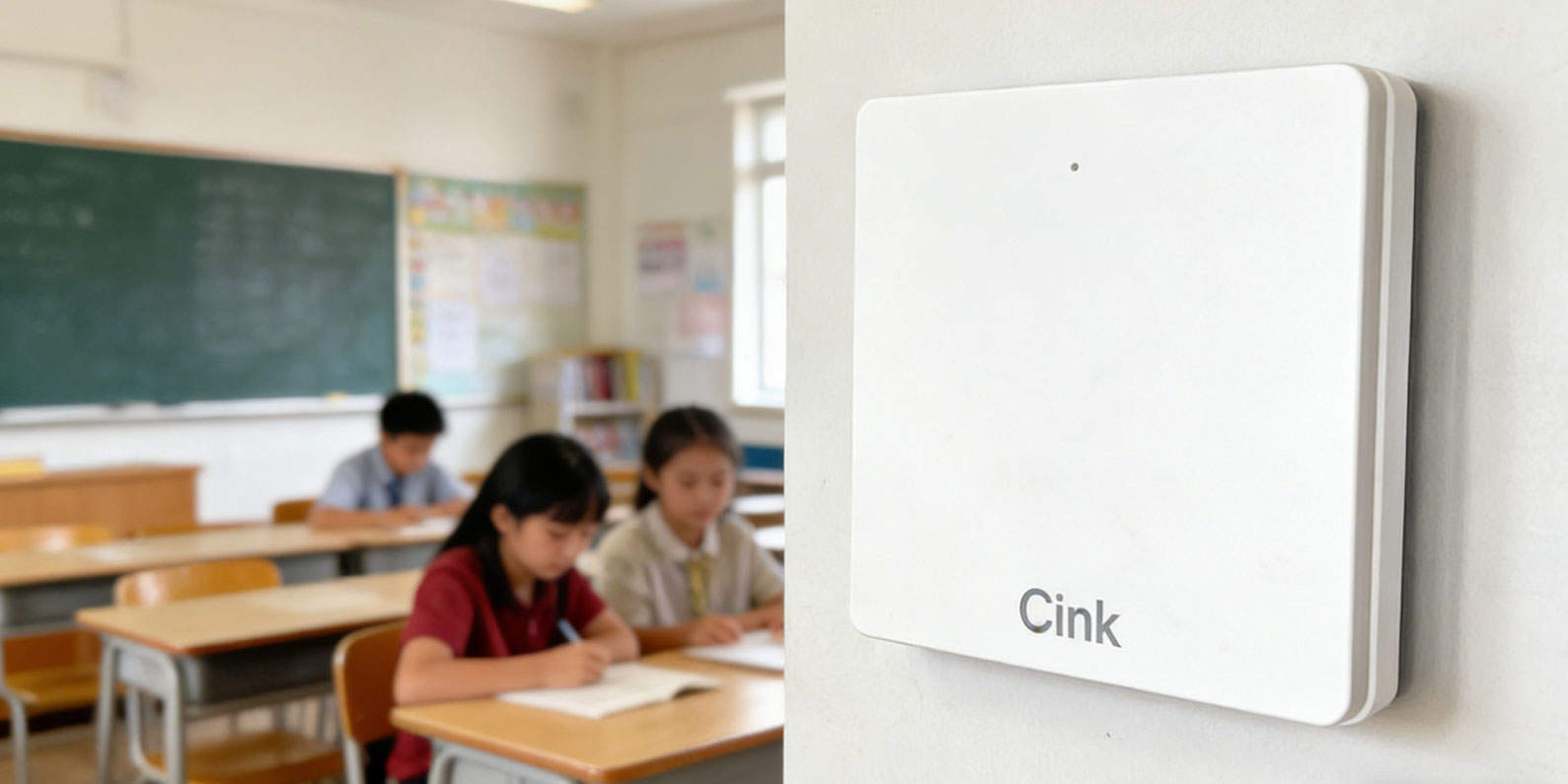
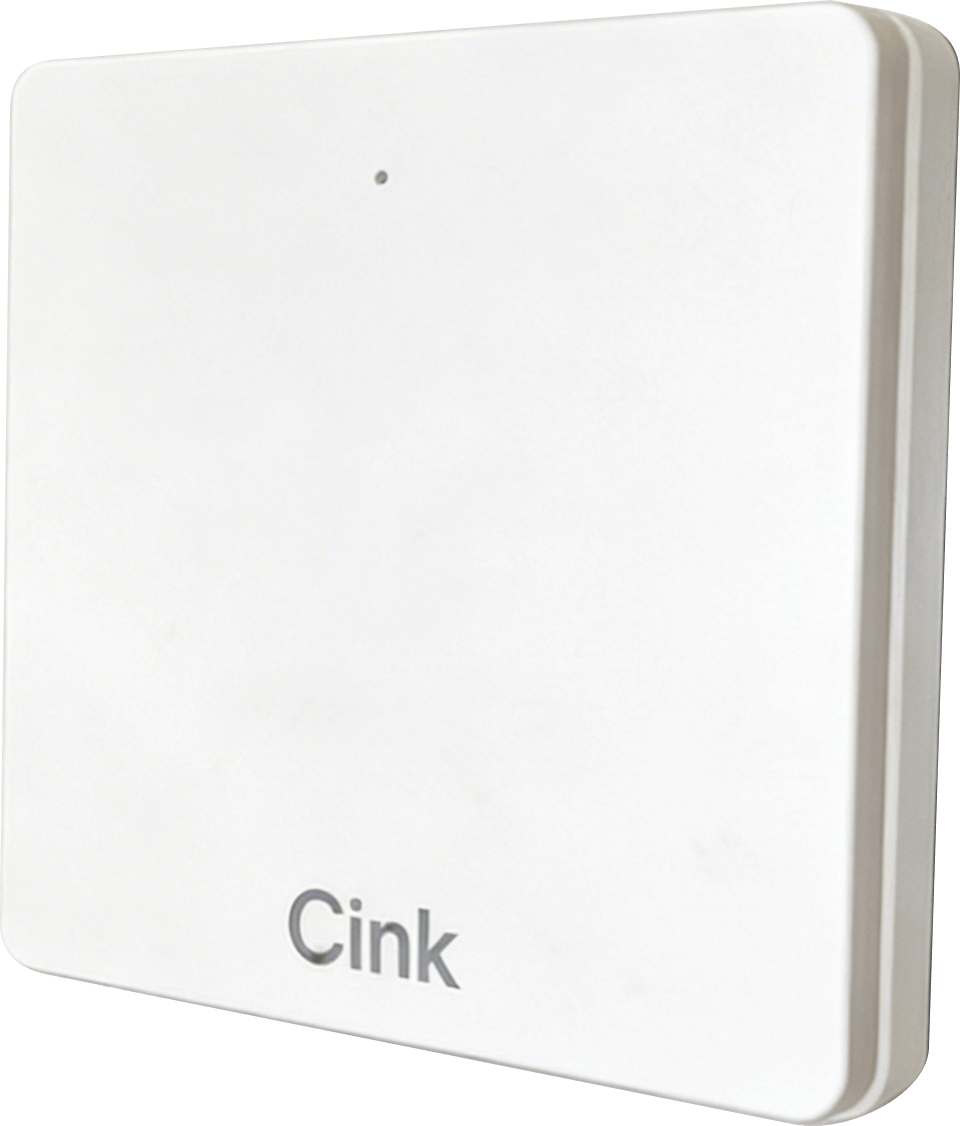
Product PositioningEmbedded gateway installed in a classroom wall switch box, powered directly from the wall switch position. Its exterior blends with ordinary switch panels, completely invisible in the classroom. Supports up to 20 pen connections, ideal for small classes or group teaching scenarios.
Key Features
  • Pen connection: connects up to 20 smart pens simultaneously via BLE 5.0 / SLE 1.0
  • Data forwarding: uploads handwriting data to edge AI box or cloud via WiFi
  • Offline cache: locally caches data (up to 256MB) during network outages, auto-uploads when restored
  • LED status: yellow = inactive, blue = active online, red = fault
  • Remote management: OTA firmware updates, remote log viewing, remote configuration
Technical Specifications
Cink product
Cink Classroom Gateway β€” white square, embedded in wall switch box
ParameterSpecification
WirelessBLE 5.0 / SLE 1.0 multi-connection
Max pen connections20 pens
PowerFrom wall switch position
UplinkWiFi to internet
MountingEmbedded in wall switch box

Application Scenarios

Cink scene
Cink Classroom Gateway application scenario
03 / Teacher Pen

Mink

Master Smart Pen
Aluminum body + high-frame-rate optical module β€” the core smart teaching tool for teachers.
Product PositioningPremium smart dot-matrix pen for teachers with an aluminum alloy body, high-frame-rate optical capture, microphone voice control, and rich interactive features. Teachers simply write normally on dot-matrix paper, and the Mink digitizes every stroke in real time, syncing to the smart blackboard.
Key Features
  • High-precision writing: 130FPS CMOS optical module, 0.1mm accuracy, <20ms latency
  • Pressure sensing: built-in pressure sensor for variable stroke width natural handwriting
  • Voice interaction: built-in microphone, push-to-talk voice commands (distribute questions, page turn, screen switch)
  • Buzzer alerts: sound notifications for timeouts, test collection, etc.
  • Multi-device connection: BLE 5.0 / SLE 1.0 direct connection to blackboard or classroom gateway
Technical Specifications
Teaching scene
Teacher using Mink on dot-matrix lesson plan, writing displayed on smart blackboard in real time
ParameterSpecification
Camera frame rate130 FPS
Body materialAluminum alloy, plated cap/tip
Battery180 mAh rechargeable Li-ion
Gyroscope6-axis
Storage32 MB
WirelessBLE 5.0 / SLE 1.0
ChargingUSB-C magnetic charging

Application Scenarios

Grading scene
Teacher grading with Mink on student dot-matrix homework β€” marks automatically digitized
Podium scene
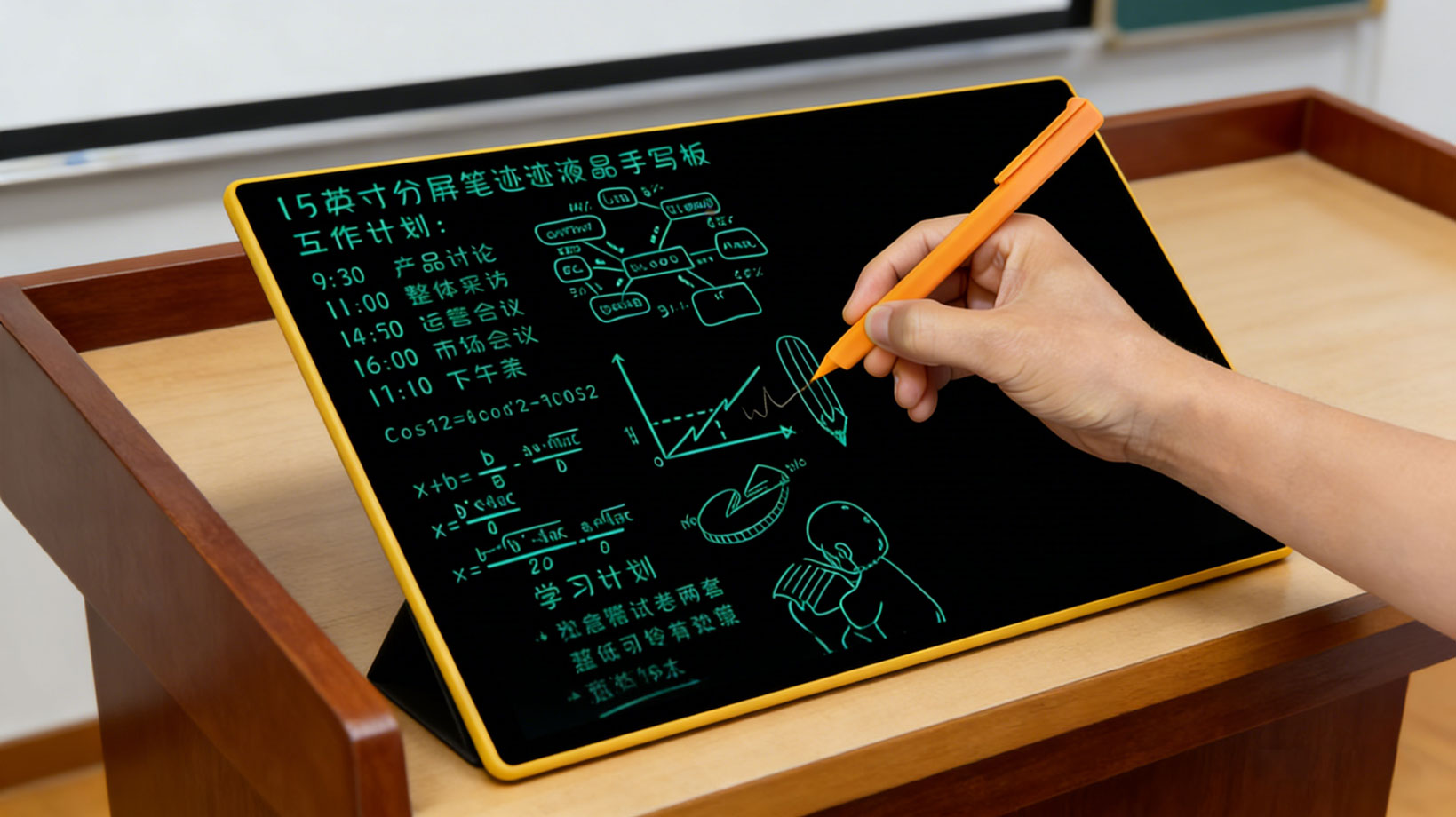
Mink on podium with LCD writing tablet β€” teacher maintains eye contact with students
04 / Student Pen

Tink

Trainee Smart Pen
A lightweight, durable smart pen for students β€” write like an ordinary pen, every stroke automatically digitized.
Product PositioningAn everyday smart dot-matrix pen for primary and secondary school students, focused on light weight, durability, and cost-effectiveness. Students don't need to change their writing habits β€” writing normally on dot-matrix paper completes homework submission, classroom interaction, and exam answering.
Key Features
  • Handwriting digitization: writes on dot-matrix paper, coordinates transmitted via BLE to classroom gateway
  • Auto attendance: automatically connects to gateway when entering classroom range
  • Offline storage: buffers up to 16~32MB when offline, auto-syncs when connected
  • Ink window: transparent window to visually check remaining ink
  • Drop-resistant: ABS plastic body, withstands 1.2m drops
Technical Specifications
Tink appearance
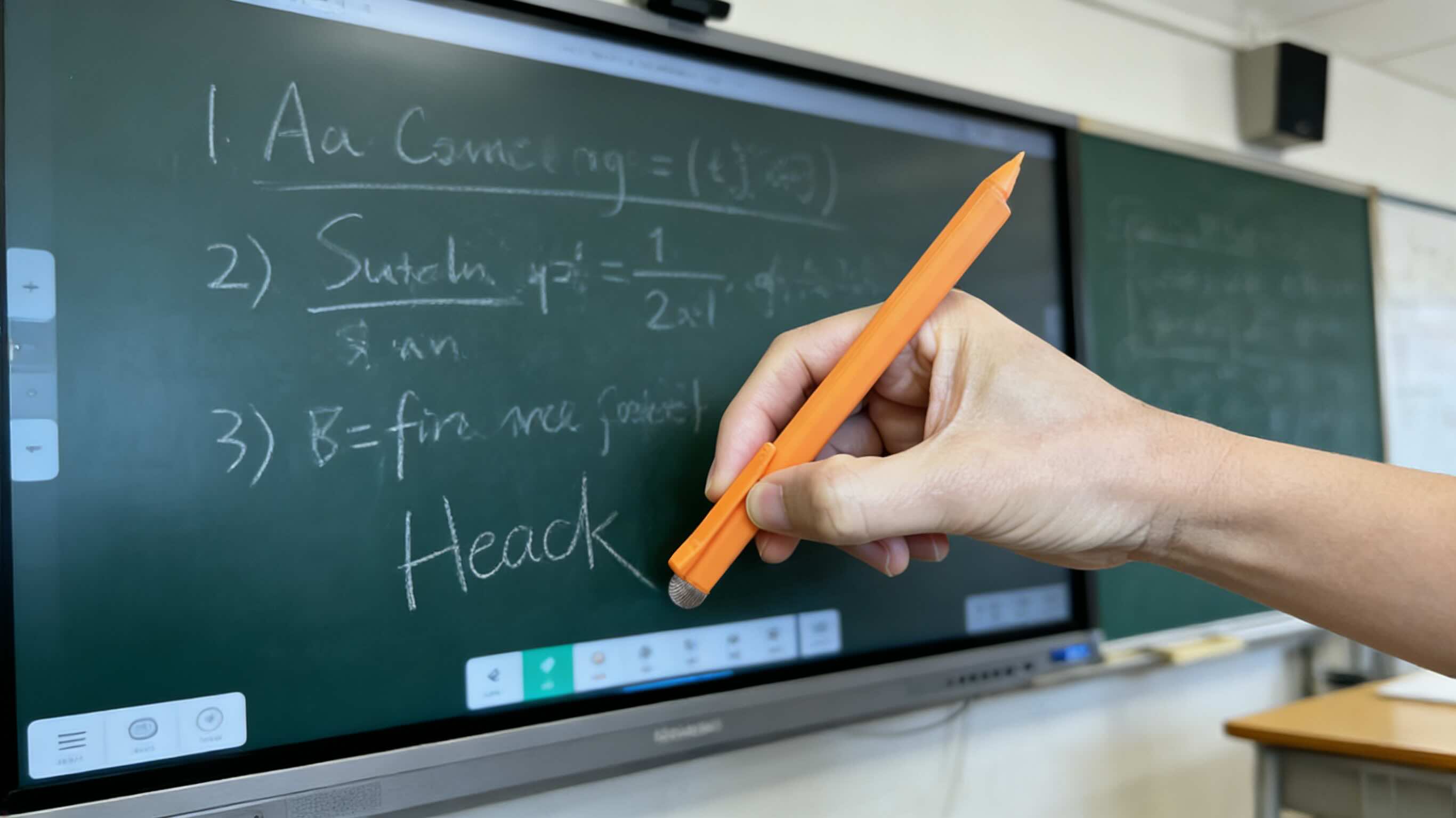
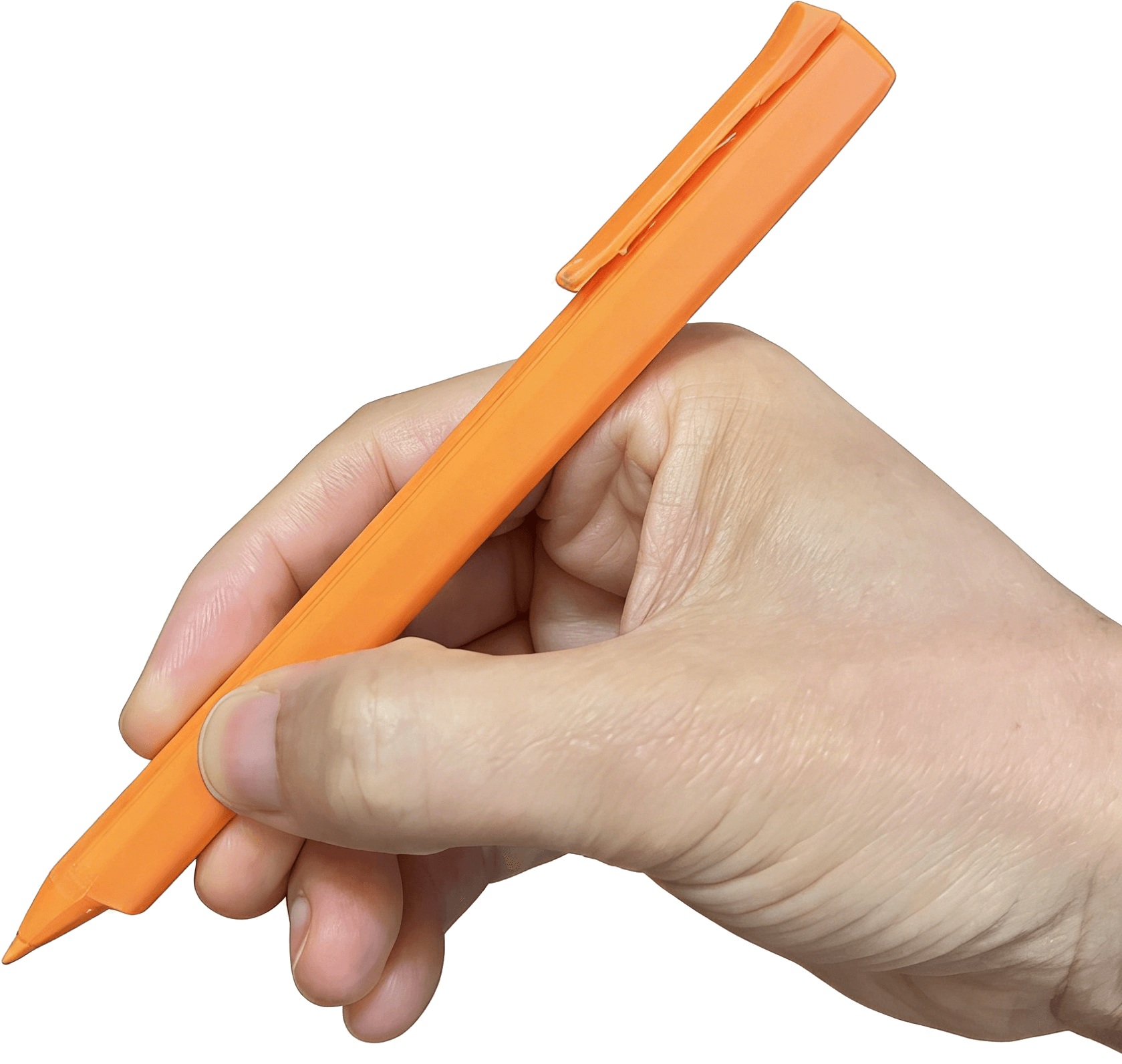
Tink Student Pen β€” orange ABS body, lightweight and durable
ParameterSpecification
Camera frame rate130 FPS
Body materialABS plastic, unplated
Battery180 mAh rechargeable Li-ion
Gyroscope6-axis
Storage16~32 MB
WirelessBLE 5.0 / SLE 1.0
ChargingUSB-C
Weight~18g (with battery)

Application Scenarios

Tink grip
Tink grip posture β€” ergonomic design for student writing habits
Daily practice
Daily practice β€” student writing with Tink, handwriting synced to cloud
Exam scene
Exam β€” student writing on dot-matrix test paper, auto collection and AI grading
05 / Pointer Module

Qink

Quick UWB Transmitter Module
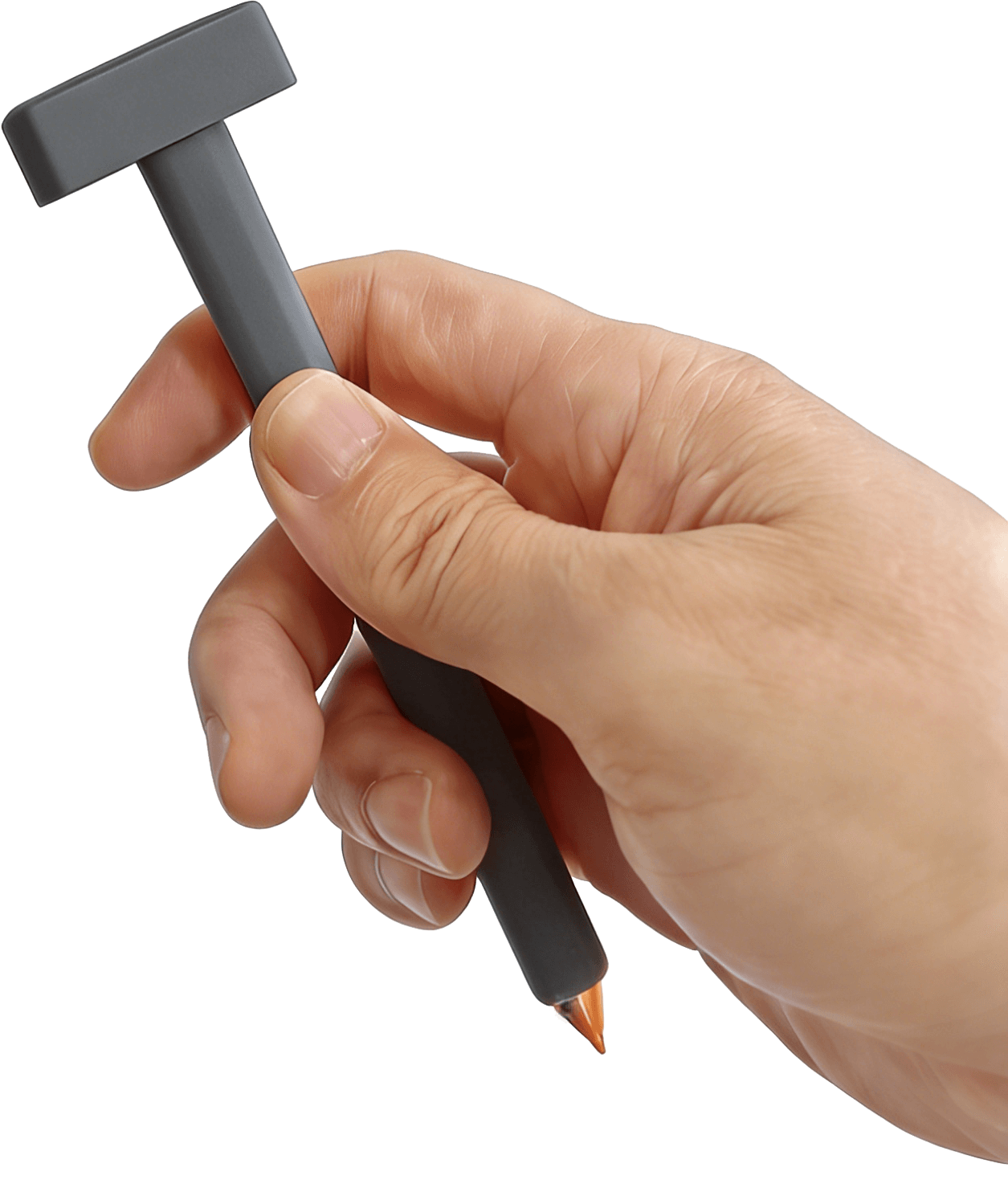
A UWB transmitter module that plugs into the Mink teacher pen, giving it pointer remote control capability.
Product PositioningA miniature UWB transmitter module that plugs into the Mink teacher pen's top USB port. Once inserted, the teacher can write and use spatial pointing simultaneously β€” Qink continuously sends spatial signals to Bink, which calculates coordinates and converts them to cursor position on the large screen.
Key Features
  • UWB precision transmission: built-in UWB module, centimeter-level positioning
  • Plug and play: USB connection to Mink top, powered by the pen, no separate charging
  • Writing + pointing fusion: transmits UWB signals while writing β€” seamless switching between writing, page-turning, and cursor control
  • Compact and lightweight: does not affect grip or balance
Technical Specifications
Qink product
Qink UWB Transmitter Module β€” plugs into pen top
ParameterSpecification
TechnologyUWB (Ultra-Wideband)
InterfaceUSB, plugs into Mink top
PowerFrom Mink smart pen via USB
ReceiverBink Blackboard Gateway (UWB)
AccuracyCentimeter-level (< 5cm)
InstallationSimply plug into Mink teacher pen's top USB port. No configuration needed. Remove to return Mink to normal smart pen mode.

Application Scenarios

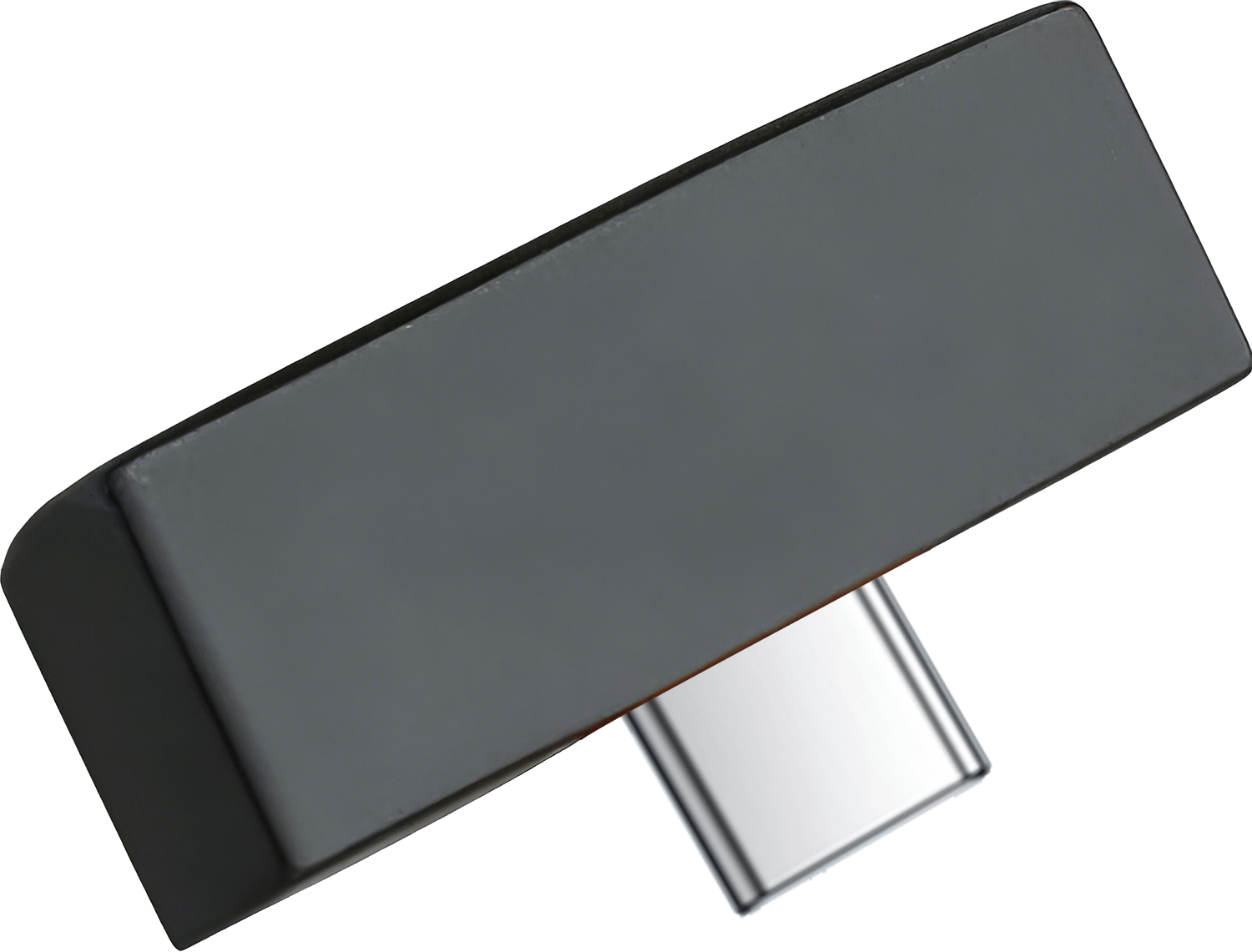
Qink dark gray
Dark gray β€” T-shaped UWB module
Qink orange
Orange β€” matches Tink color scheme
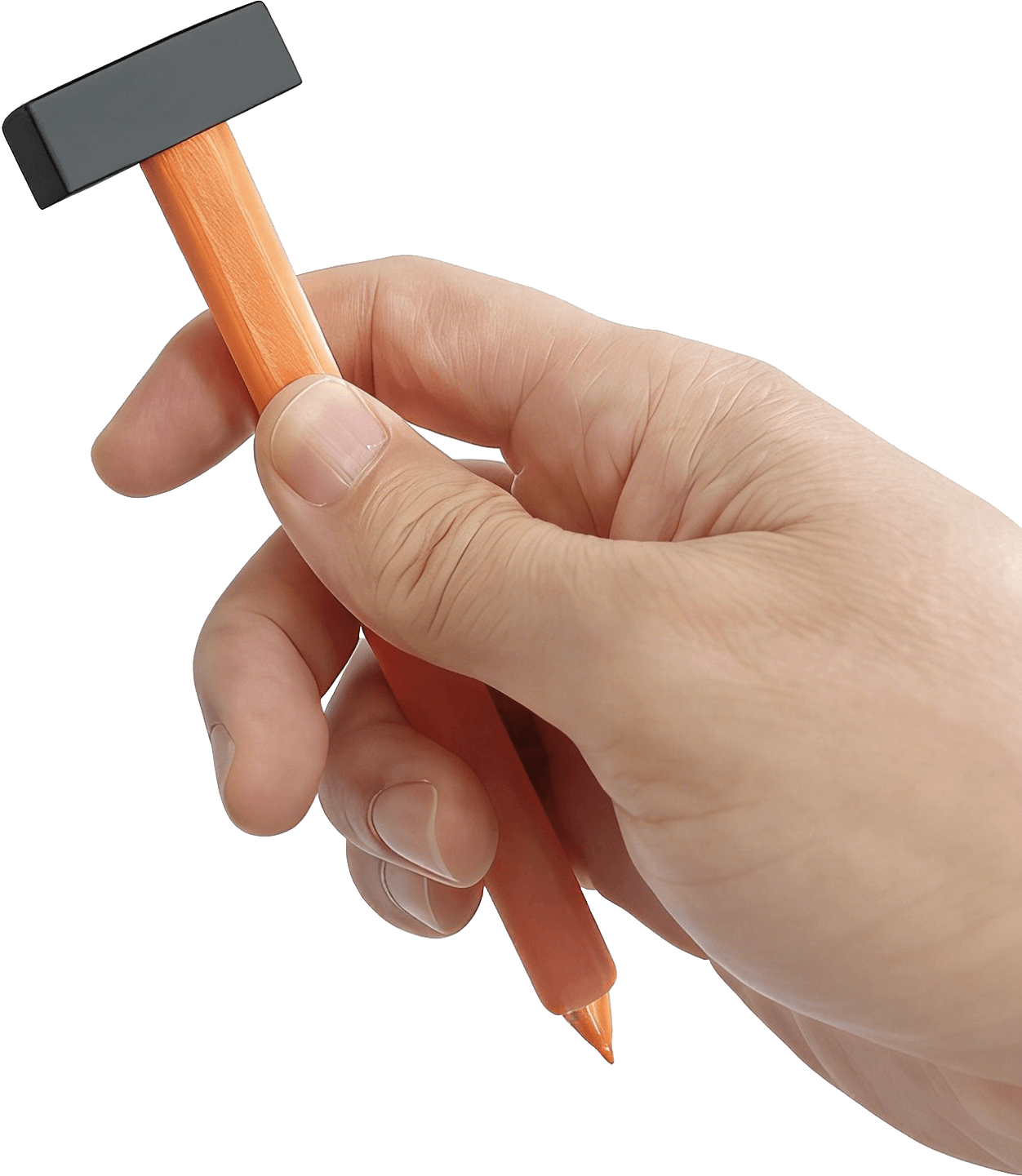
Qink black-orange
Black head + orange body β€” strong brand recognition
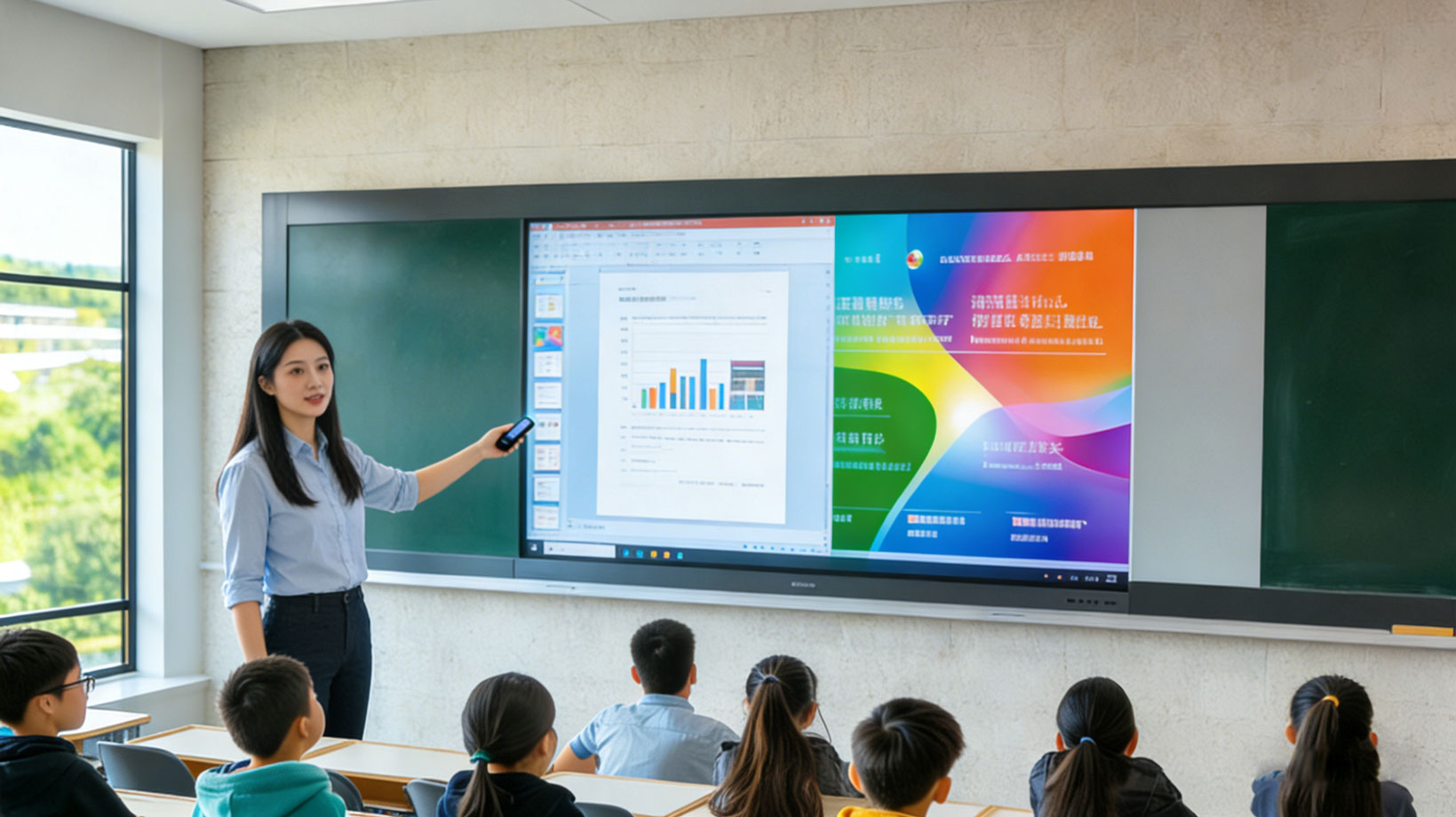
Interactive class
Teacher holding Mink with Qink, sending UWB to Bink for precise cursor control
06 / Smart Controller

Link / Rink

Remote Smart Controller
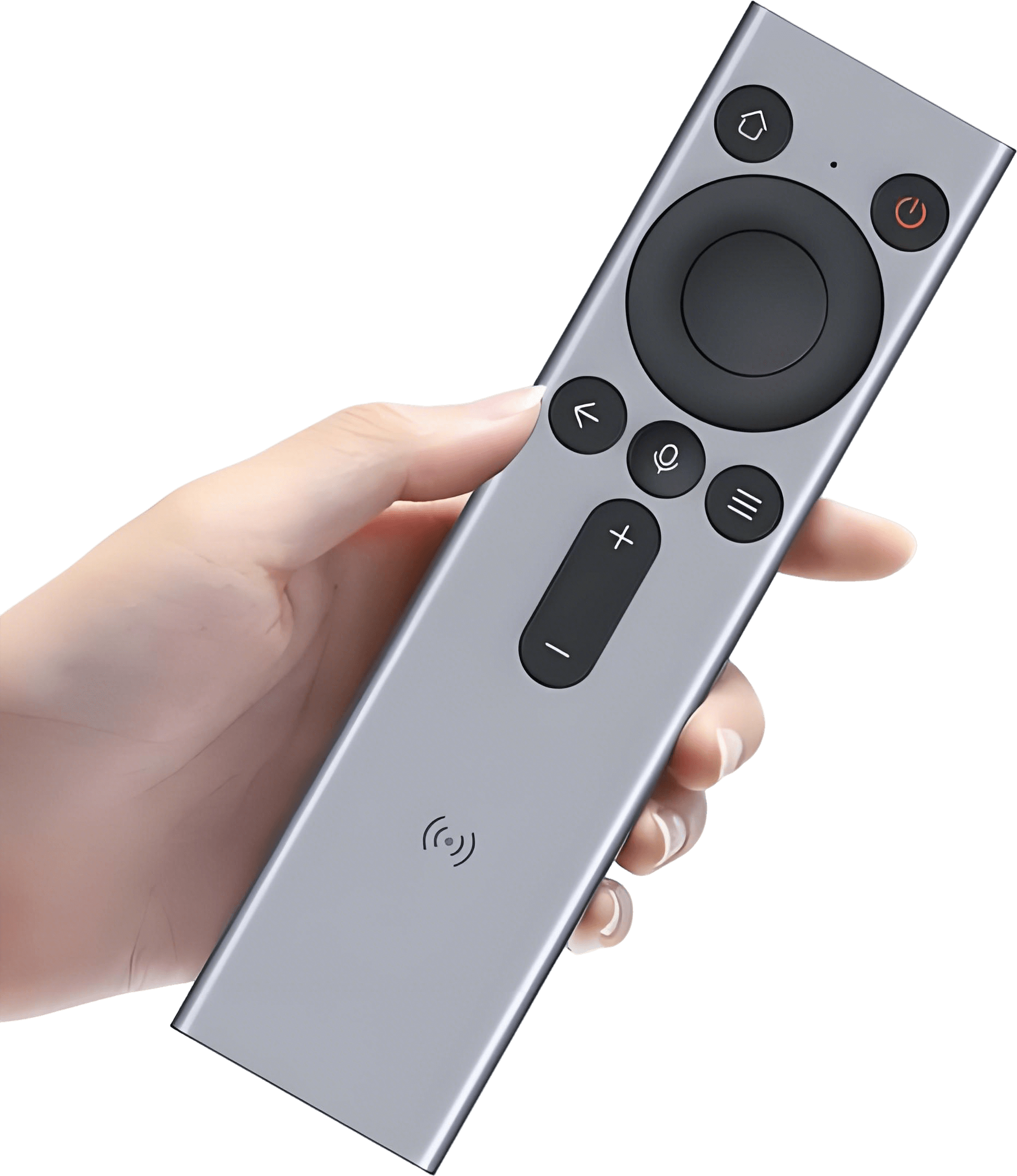
One remote to rule them all β€” spatial pointing + voice + IR + IoT, the ultimate classroom smart controller.
Product PositioningA handheld smart pointing remote integrating UWB spatial pointing, Bluetooth voice, IR control, and IoT connectivity for unified control of classroom large screens, lights, curtains, and air conditioning. Teachers can control all devices from anywhere in the classroom with just one Rink remote.
Key Features
  • Spatial pointing: built-in UWB + gyroscope, wave in air to precisely control screen cursor
  • Touchpad: directional key area supports touch sliding for fine control and page turning
  • Voice control: built-in microphone for voice search and device control
  • IR learning & emission: learns IR codes from TVs, ACs, projectors to replace multiple remotes
  • RF433 control: controls curtain motors, smart switches and other 433MHz RF devices
  • IoT sceneθ”εŠ¨: one-touch switch between teaching mode, eye-care mode, dismissal mode presets
Technical Specifications
Rink appearance
Rink Smart Controller β€” silver metal body
ParameterSpecification
Main chipTL7215A (SLE/BLE SoC)
UWB chipGT1500
Buttons7 keys + touch area
Power1000mAh rechargeable Li-ion
Wireless protocolsSLE / BLE / UWB / IR
ChargingUSB-C
Battery life~30 days normal use

Application Scenarios

Smart education
Teacher using Rink to freely move around classroom, controlling screen, lights and curtains remotely
07 / Handwriting Tablet

Hink / Xink

Handwriting Tablet
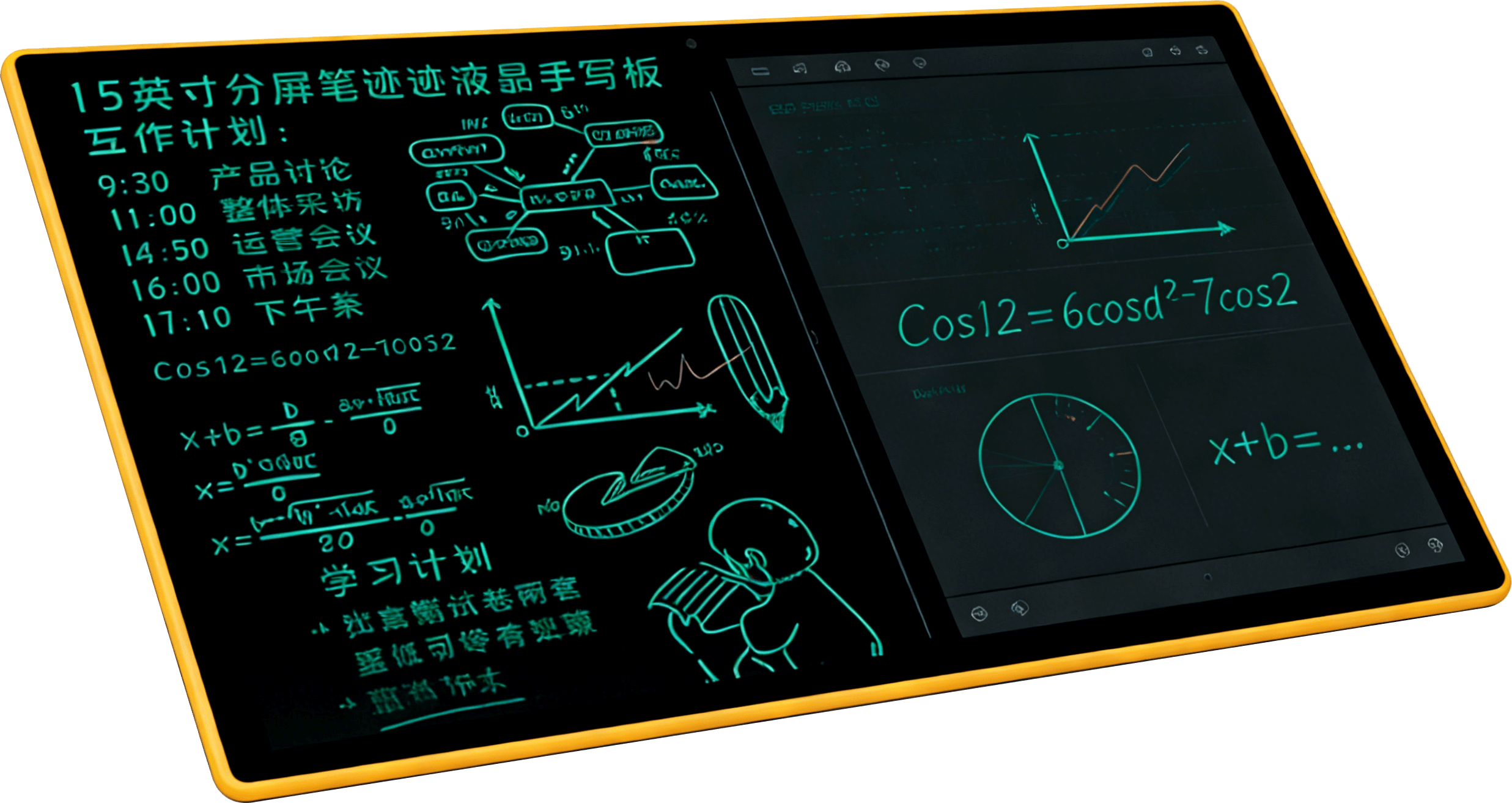
A pen-free LCD writing tablet β€” write with your finger, handwriting synced to the large screen in real time.
Product PositioningA pen-free pressure-sensitive handwriting input tablet. Teachers write with fingers or any hard object on the surface, with handwriting synced to the large screen in real time β€” a digital replacement for traditional chalkboard writing. Solves the classic problem of teachers turning their backs to students while writing on the blackboard.
Key Features
  • Pen-free writing: capacitive/resistive touch membrane, finger or any object works
  • One-touch erase: dedicated erase button to clear the screen instantly
  • Bluetooth wireless: BLE 5.0 / SLE 1.0 connection to gateway or blackboard
  • USB power: USB-C charging, built-in battery for wireless use
  • Multi-touch: supports simultaneous multi-point writing for collaborative use
Technical Specifications
Hink appearance
Hink LCD Writing Tablet β€” black panel, A4 size, slim and portable
ParameterSpecification
Touch technologyCapacitive touch membrane
WirelessBLE 5.0 / SLE 1.0
PowerUSB-C (5V), built-in Li-ion battery
Writing areaA4 size
DisplayLCD writing screen

Application Scenarios

Podium teaching
Teacher writing on Hink, content synced to large screen in real time
Chemistry class
Chemistry equations written on Hink, displayed simultaneously on large screen
08 / AI Computing Box

Dink / Zink

Edge AI Computing Box
The edge AI brain in your classroom β€” handwriting recognition in seconds even offline, results as soon as you finish writing.
Product PositioningAn edge AI computing device deployed in classrooms, bringing cloud AI inference capability locally for real-time handwriting recognition in offline or weak network environments. It's the intelligent brain of the interactive classroom system, ensuring AI recognition never degrades even when the campus network is unstable.
Key Features
  • On-device AI inference: runs lightweight AI models locally supporting Chinese/English OCR, math formula recognition, stroke order grading
  • Ultra-low latency: single OCR recognition < 200ms, results instantly
  • Offline capable: AI recognition does not degrade offline, results cached and uploaded when network restores
  • Multi-device distribution: pushes results via WebSocket to blackboard, teacher PC, student Pad
  • Cloud-edge collaboration: reports status via MQTT, supports online AI model updates
  • Cluster management: multiple units form a school-wide cluster with unified scheduling and load balancing
  • OTA updates: firmware and AI model remote upgrades with A/B partition safe rollback
Technical Specifications
Zink appearance
Zink Edge AI Box β€” dark gray metal casing, compact design
ParameterSpecification
ProcessorRK3588 octa-core / NVIDIA Jetson
AI computeNPU 6 TOPS / GPU 512 CUDA cores
Memory8~32 GB LPDDR4x
Storage64GB eMMC + NVMe SSD
NetworkDual Gigabit Ethernet + WiFi 6
Power15~30W (adaptive)
Dimensions180mm x 160mm x 28mm
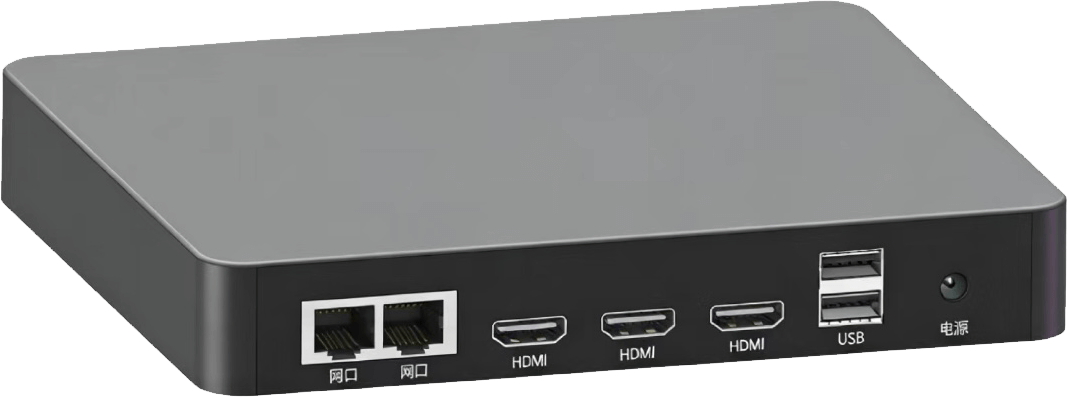
PortsDual GbE, 3x HDMI, 2x USB, DC power
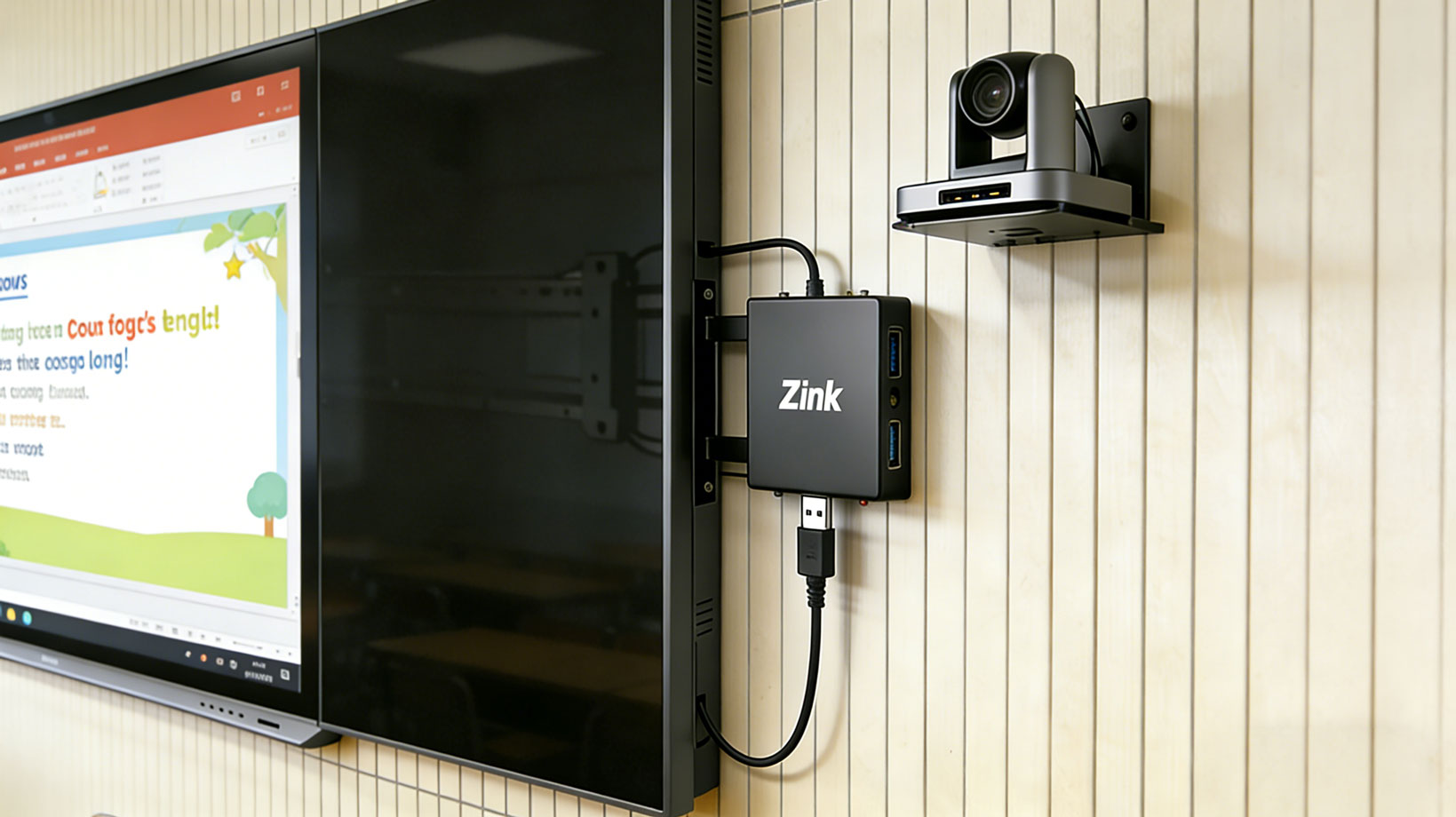
InstallationWall-mount or desktop placement, wired campus network connection. Can be hidden behind smart blackboard/TV, managed remotely via network.

Application Scenarios

Zink ports
Zink I/O panel β€” dual GbE, 3x HDMI, 2x USB, DC power
Wall mount
Wall-mounted Zink beside smart blackboard with AI vision camera